
USB Recovery Mirdif
Losing important files from a USB drive can be extremely stressful. A small flash drive may contain a university thesis, business presentation, financial spreadsheet, customer documents, or years of family photographs. When your computer suddenly shows “Drive Not Recognized,” it can be difficult to know what to do next. At Recovery Data, we provide professional […]
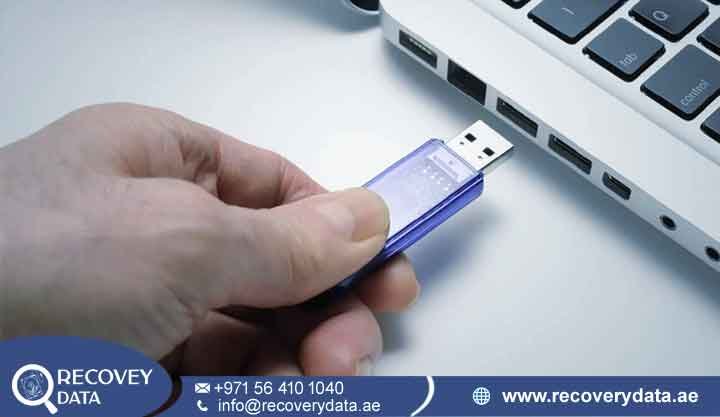
Losing important files from a USB drive can be extremely stressful. A small flash drive may contain a university thesis, business presentation, financial spreadsheet, customer documents, or years of family photographs. When your computer suddenly shows “Drive Not Recognized,” it can be difficult to know what to do next.
At Recovery Data, we provide professional Urgent USB Data Recovery Mirdif services for damaged, corrupted, deleted, formatted, and inaccessible USB drives. Our engineers use specialist diagnostic and recovery equipment to examine flash storage and identify the cause of the failure.
A USB drive may look simple from the outside, but its internal operation relies on a controller, NAND flash memory, firmware, power circuitry, and file-system structures. A failure in any of these areas can make stored files inaccessible.
If your USB drive has stopped working, avoid repeated attempts to reconnect or repair it. Early professional assessment can help preserve the storage condition and determine which recovery options remain available.
USB Device Not Recognized? Why You Need Professional USB Recovery Mirdif
When a USB drive stops working, many people unplug and reconnect it several times. A single connection test may help identify a simple port issue. However, repeated testing can create additional problems when the drive has physical or electrical damage.
A damaged connector can deteriorate with repeated movement. An unstable flash drive can also behave unpredictably when connected to power. If the storage is already failing, unnecessary use can make later recovery more complicated.
For residents and businesses near Mirdif City Centre, a professional USB Flash Drive Recovery Service Mirdif Dubai can provide a safer alternative to experimenting with free recovery programs or visiting general repair shops.
A recovery specialist first determines whether the problem involves the USB connector, PCB, controller, NAND flash, firmware, or file system. The actual failure determines the appropriate recovery method.
Common Issues Leading to Flash Drive Data Loss
USB drives provide convenient portable storage, but their small size makes them vulnerable to physical damage, electrical faults, and flash-memory failures.
Common USB data-loss situations include broken USB connectors, controller failure, accidental deletion, formatting, write-protection errors, file-system problems, power damage, and NAND flash degradation.
Broken USB Connector: A USB stick can bend or break when a laptop moves while the drive remains connected. Physical stress can damage the connector, solder joints, or PCB traces. Our broken USB connector repair Mirdif service focuses on restoring the electrical connection while protecting the storage components.
Controller Failure: The controller manages communication between the computer and NAND flash memory. If it fails, the computer may not detect the USB drive or may report an incorrect capacity. Controller problems require specialist analysis because the NAND contents may depend on controller-specific information.
Accidental Deletion or Formatting: Deleted files may remain recoverable when their original storage areas have not been reused. Formatting can also leave recoverable information in some situations. However, continued use of the USB drive can overwrite previously stored data.
“Disk Is Write Protected” Error: Write protection can result from firmware behavior, flash-memory wear, controller problems, or operating-system settings. The message does not identify the exact cause, so engineers should diagnose the device before attempting repairs.
USB Asking to Be Formatted: A “Please Format the Disk” message often means that the operating system cannot correctly recognize the expected file system. The underlying data may still exist, but recovery depends on the condition of the storage and file-system structures.
Power and Electrical Damage: A faulty USB port, damaged hub, power problem, or electrical event can affect the drive’s components. If you notice burning, unusual heat, or a burnt smell, disconnect the drive immediately.
NAND Flash Degradation: NAND flash has a finite program/erase lifespan. As flash cells and related structures degrade, the drive may develop read errors, become unstable, or stop functioning normally.
Why Recovery Data Is a Professional USB Recovery Lab Near Mirdif
The difference between specialist data recovery and ordinary computer repair lies in the equipment, methodology, and focus on preserving the original data. At Recovery Data, we diagnose the storage before selecting a recovery method. We do not treat every USB problem as a standard software issue.
Our laboratory uses specialist equipment for flash-memory diagnostics and advanced recovery work. Depending on the device and failure, this can include board-level repair, controlled imaging, firmware analysis, or NAND-level examination.
Advanced Flash Recovery Equipment
Some USB drives cannot be recovered with ordinary file-recovery software because the computer cannot communicate with the storage correctly.
In suitable cases, advanced flash recovery techniques allow engineers to examine information stored in NAND memory. However, NAND data does not normally exist as ready-to-open documents. The controller can apply mapping, error correction, scrambling, wear leveling, and other processes.
Engineers may therefore need to interpret the available information and reconstruct the logical data structure before extracting files.
Chip-Off Recovery for Suitable Cases
Chip-off recovery involves removing NAND memory components from the circuit board and reading them with specialist equipment. This advanced technique does not apply to every USB recovery case. Engineers consider it when normal access through the USB interface or controller is not possible and the device architecture makes NAND-level recovery technically appropriate.
The success of this method depends on the NAND condition, controller architecture, encryption, data transformation, and other technical factors.
Secure Data Handling
USB drives often contain private and business-critical information. We understand the importance of confidentiality throughout the recovery process.
Our team handles storage devices carefully during diagnosis and recovery. Where required, confidentiality arrangements such as an NDA can also be discussed. Engineers access recovered information only as necessary for the agreed recovery work, verification, and delivery.
Kingston, Samsung, and SanDisk Flash Drive Recovery
Different USB manufacturers use different controllers, NAND configurations, firmware, and storage architectures. Our team can assess USB drives from common manufacturers such as Kingston, Samsung, SanDisk, and other brands. We can also examine password-protected or encrypted storage when the required credentials, recovery keys, or technical information are available.
USB 3.0 and USB-C Recovery
Modern USB drives may use USB 3.0, USB 3.1, USB 3.2, or USB-C connectors. A newer connector does not necessarily mean that the storage itself uses a different technology, but the interface and physical design can affect diagnosis.
A damaged USB-C connector, unstable connection, or board-level fault may prevent the computer from communicating with the storage. Our engineers assess the interface and internal electronics before deciding whether repair, imaging, or another recovery method is appropriate.
Comprehensive Portable Media Recovery
USB recovery often overlaps with other types of flash-storage recovery. We can also assess MicroSD and SD card recovery Mirdif cases involving cameras, smartphones, drones, action cameras, and other devices.
Our team can also assess suitable OTG flash drives used with Android devices. The recovery method depends on whether the problem exists in the USB device itself, the phone, the file system, or the stored data. For encrypted business storage, recovery may also require the appropriate password, recovery key, or credentials. Hardware recovery does not automatically remove encryption.
Our Professional USB File Retrieval Process for Mirdif Clients
We keep the recovery process straightforward and controlled.
1. Initial Diagnostic
You can bring the USB drive to our facility for assessment. Collection options may also be available in Mirdif and other Dubai areas. We first examine the physical condition and determine whether the computer can communicate with the device.
2. Technical Diagnosis
Our engineers identify the likely failure area. This can include the connector, PCB, controller, firmware, NAND memory, or file system. The diagnosis helps determine whether standard recovery, electronic repair, controlled imaging, or advanced flash techniques are appropriate.
3. Physical Repair or Advanced Flash Recovery
If the connector or another accessible electronic component has failed, engineers may consider board-level repair. If normal communication remains impossible, engineers may consider NAND-level recovery for suitable devices. This process can involve reading available flash information and reconstructing the logical structure.
4. Logical Reconstruction
Once engineers obtain accessible storage information, they analyze the file-system structures and reconstruct available folders and files. The final result depends on the condition of the storage and whether important sectors have been overwritten or corrupted.
5. Verification and Secure Data Delivery
Engineers check recovered files where technically possible. The data can then be transferred to a new storage device or another agreed delivery method. You can review the recovered files and their condition before final delivery.
Stop Plugging In Your Broken USB Drive
If your USB drive suddenly stops working, the safest first step is usually to disconnect it. Do not repeatedly plug and unplug a physically damaged drive. Do not open the casing unless you understand the device’s construction.
You should also avoid formatting the drive when Windows displays “You need to format the disk before you can use it.” Do not install recovery software onto the affected USB drive. Any new writing activity can overwrite information that may still be recoverable.
If the drive contains critical files, preserve its current condition and have it professionally assessed before attempting further repairs.
USB Recovery for Businesses in Mirdif
Businesses often use USB drives to move presentations, accounting documents, customer information, design files, reports, and other working data. A failed USB can therefore interrupt an important project even though the physical device is very small.
For business-critical storage, avoid copying new files to the affected drive. Keep the original USB in its current condition and provide any relevant passwords or encryption information to the recovery team. If several copies of the same files exist elsewhere, identify those backups before recovery begins. This can help determine which files require priority.
Fair USB Recovery Pricing in Dubai
The cost of USB recovery depends on the type of failure and the technical work required. A logical file-system problem may require a different level of work than a broken connector, controller failure, or NAND-level recovery case.
Other factors can include the USB capacity, physical condition, encryption, controller architecture, and amount of data required. After diagnosis, we can explain the available recovery options and applicable cost. Where our “No Data, No Fee” policy applies, we explain the terms before recovery work begins.
Frequently Asked Questions About USB Recovery in Mirdif
Can You Repair a Snapped USB Connector?
A damaged connector can sometimes be repaired if the PCB and underlying storage components remain in usable condition. Engineers may repair solder joints or damaged connections under magnification. If the PCB has suffered more extensive damage, another recovery approach may be required.
What If My USB Says “Please Format”?
Do not click Format if the USB contains important files. The message can appear when the operating system cannot recognize the expected file system. The data may still exist, but recovery depends on the underlying condition of the storage.
What Is the USB Recovery Price in Dubai?
USB recovery pricing varies according to the failure type and technical complexity. Logical recovery generally differs from physical connector repair or advanced NAND-level recovery. A technical assessment is needed before providing an accurate quotation.
Can You Recover a Dead SanDisk USB Drive?
Recovery may be possible depending on why the SanDisk drive stopped working. The problem could involve the connector, PCB, controller, firmware, NAND flash, or another component. A drive that the computer does not detect should undergo professional diagnosis before further use.
Do You Provide SD Card Recovery in Mirdif?
Yes. We can assess MicroSD and SD card recovery Mirdif cases involving cameras, phones, drones, and other devices. The recovery method depends on whether the card has suffered deletion, formatting, file-system corruption, physical damage, or flash-memory failure.
Can You Recover Files From an Android OTG USB Drive?
Potentially, yes. The USB drive and the phone should be assessed separately if there is a connection problem. If files were deleted from the USB storage and the storage has not been heavily reused, recovery may be possible. The outcome depends on the file system and subsequent device activity.
How Long Does USB Recovery Take?
The timeframe depends on the failure. Simple logical recovery may take less time than physical connector repair, controller problems, or advanced NAND recovery. After diagnosis, we can provide a more realistic timeframe for the specific device.
Contact Professional USB Recovery Specialists Near Mirdif City Centre
Do not let a failed USB drive put important files at unnecessary risk. Whether you have a corrupted thumb drive, broken connector, inaccessible pen drive, formatted USB, or failed flash storage, professional diagnosis can help determine the available recovery options.
At Recovery Data, we provide USB Flash Drive Recovery Service Mirdif Dubai for individuals, professionals, and businesses. Whether you are located in Mirdif Hills, Shorooq, Ghoroob, or near Mirdif City Centre, you can contact our team for a professional assessment.
Email: info@recoverydata.ae
Phone: +971 56 410 1040
Location: Dubai, UAE

