
SD Card Recovery Al Nahda Dubai
When an SD card suddenly becomes unreadable, the situation can be extremely stressful. It becomes even more concerning when the card contains hundreds of important photographs, professional video recordings, business documents, or research files. A small memory card can hold years of personal memories or hours of valuable professional footage. When it stops working, the […]
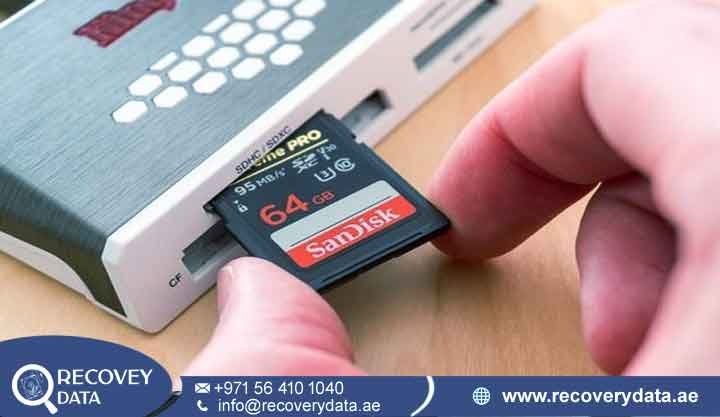
When an SD card suddenly becomes unreadable, the situation can be extremely stressful. It becomes even more concerning when the card contains hundreds of important photographs, professional video recordings, business documents, or research files. A small memory card can hold years of personal memories or hours of valuable professional footage. When it stops working, the problem can feel much larger than the size of the device suggests.
A photographer may have an important shoot stored on the card. A drone operator may have valuable aerial footage. A student may have weeks of research saved on a MicroSD card. A business may have documents, product images, or other work files that were copied to the card. When the card suddenly stops responding, losing access to those files can become a serious problem.
At Recovery Data, we provide professional SD Card Recovery Service Al Nahda Dubai for deleted, formatted, corrupted, inaccessible, and physically damaged memory cards. Our engineers use specialist recovery equipment to diagnose the card before selecting the safest available recovery method. We do not treat every SD card failure in the same way because different failures require different recovery approaches.
Your memory card may look like a small piece of plastic, but the storage technology inside it is complex. A failure can involve the NAND flash memory, controller, firmware, file system, electrical components, or physical contacts. The visible symptom may look simple, but the underlying cause can require detailed diagnosis.
If the data is important, stop using the card as soon as you notice a problem. Do not format it, record new files, or repeatedly connect it to different devices. Every additional write can affect deleted or damaged data. Repeated testing can also make an unstable card harder to assess.
Why Professional Memory Card Data Recovery Al Nahda Dubai Is Essential
Many users immediately search for free recovery software when an SD card stops working. Recovery software can be useful for some simple logical problems. However, it is not suitable for every type of memory-card failure. An SD card may become inaccessible because of file-system corruption, accidental formatting, controller failure, electrical damage, physical damage, NAND flash problems, or a combination of several issues. Software cannot solve every hardware or controller-level problem.
For example, a computer may recognize a healthy SD card but show an empty folder after accidental deletion. That type of situation can sometimes respond well to appropriate recovery software. A different card may show 0 bytes, No Media, or fail to appear at all. That situation requires a different level of diagnosis. Repeatedly scanning an unstable card can place additional read activity on the storage. Writing new photographs or videos can overwrite sectors that may still contain deleted information. Formatting can also change important file-system structures.
This is why professional SD Card Recovery Al Nahda Dubai should begin with diagnosis rather than immediately running multiple recovery applications. At Recovery Data, engineers first determine whether the card is communicating normally. If possible, they create a controlled image of the available data. Working from an image can reduce unnecessary handling of the original card during logical recovery. More advanced cases may require lower-level flash extraction or chip-level techniques.
If you have been searching for SD Card Recovery Near Me Al Nahda Dubai, look for a recovery provider that understands both logical and physical flash-memory failures. The right approach depends on what has happened to the card, not simply on the error displayed by your computer.
The Technology Inside Your SD Card
SD and MicroSD cards use NAND flash memory to store information. Unlike traditional hard drives, they have no spinning magnetic platters or mechanical read/write heads. A flash storage device contains memory cells along with a controller that manages how information is stored and accessed. The controller handles important functions between the host device and the underlying NAND memory.
The controller performs functions such as addressing, error correction, wear management, and data translation. Because of this architecture, the raw information stored inside NAND memory may not immediately appear as normal photographs, videos, documents, or folders. This is one reason advanced flash recovery can become technically complex. If the controller stops functioning, the data cannot always be read simply by connecting the memory chip to a standard computer.
When an SD card develops a communication problem, a computer may show it as Not Recognized, 0 MB capacity, No Media, Unknown Device, Unallocated, or RAW. You may also see messages such as Please Format, Unsupported Media, or Incorrect Capacity. In some cases, files or folders may also appear missing. These error messages do not necessarily mean that the stored data is permanently lost. The underlying NAND memory may still contain recoverable information.
However, recovery cannot be confirmed from the error message alone. The appropriate recovery method depends on the card’s architecture, controller, NAND condition, file system, and the extent of the damage. A proper assessment helps determine the condition of the card and the safest approach for SD card data recovery.
Common SD Card Problems We Handle
SD and MicroSD cards can fail for many reasons. Identifying the symptoms helps determine the appropriate recovery approach. Some problems are logical, while others involve electronic components or the flash memory itself.
Physical SD Card Damage
Memory cards are small and easy to damage. They can be bent, cracked, crushed, or damaged while being inserted into a camera, phone, drone, laptop, or card reader. The exposed contacts can also become scratched, contaminated, or damaged. A damaged connection may prevent the card from communicating correctly with the host device.
Our engineers inspect the physical condition before deciding whether electronic repair, controlled contact repair, or another recovery method is appropriate. If the casing has cracked, avoid trying to glue the card together and repeatedly test it. Physical movement can sometimes make an existing problem worse. A professional assessment can help determine whether the NAND memory and other components remain accessible.
SD Card Controller Failure
The controller acts as the communication layer between the host device and NAND memory. It manages important storage operations and translates requests from the camera, phone, computer, or other device. If the controller fails because of electrical damage, overheating, component degradation, or another fault, the card may suddenly disappear from computers and cameras.
In suitable cases, advanced recovery techniques can access information stored in the flash memory without relying on normal operating-system access. However, this is not a universal solution. The exact technique depends on the card’s design and the condition of the NAND memory.
File-System Corruption
An interrupted write, improper removal, power problem, or device malfunction can damage file-system structures. The card may then appear as RAW or ask you to format it. Your computer may detect the physical card but fail to understand the data structure stored on it.
Do not click Format if you need the existing files. A professional recovery assessment can determine whether the original file structures or underlying data remain available. If the card contains important photographs or video footage, avoid using Windows repair tools or repeatedly running automatic repair processes before obtaining professional advice. Some repair operations modify file-system information, which can complicate later recovery.
Accidental Formatting or Deletion
Accidentally formatting an SD card does not always mean that every previous file has immediately disappeared. However, the chances of recovery can decrease when new photographs, videos, documents, or other files are written to the card. The risk becomes especially important when the same card is returned to a camera or drone after formatting. If you accidentally formatted the card, stop using it immediately.
Do not take new photographs. Do not copy files onto the card. Instead, keep the card safely stored until it can be assessed. Our engineers can evaluate whether the previous data remains recoverable and determine which recovery method is appropriate.
Environmental and Heat Damage
SD cards can be exposed to heat, moisture, dust, and other environmental conditions. Excessive heat can contribute to electronic failures, while moisture can cause oxidation or short circuits. Dubai’s high temperatures can also make proper storage important, especially when memory cards remain inside vehicles, camera bags, or other hot environments for long periods.
If a card has been exposed to water or another liquid, keep it disconnected and avoid repeatedly connecting it to a computer. Do not assume that a card is safe simply because the outside appears dry. Moisture can remain around contacts or inside damaged areas. A professional inspection can determine the condition before power is applied again.
Firmware and Communication Errors
A card showing 0 bytes, an incorrect capacity, or no usable media may have a controller or firmware-related problem. These symptoms can have several possible causes, so they should not be treated as proof of one specific failure. Specialist diagnostic equipment can provide more information about how the card is communicating.
These cases often require specialist equipment rather than standard file-recovery software. Engineers may need to examine the controller, NAND communication, card identification information, and other available diagnostic data.
Why Choose Recovery Data for SD Card Recovery Al Nahda Dubai?
Selecting a data recovery provider requires more than finding a shop that offers basic file-recovery software. At Recovery Data, we assess the condition of the storage before deciding how to proceed with recovery. This helps prevent unnecessary actions that could affect the remaining data.
When you bring a device for Micro SD Card Data Recovery Al Nahda Dubai, our team can explain the observed failure, the available recovery approach, and the expected process before proceeding with the work.
Every memory card has its own condition and storage architecture. A recovery method that works for one card may not be appropriate for another. Our approach therefore begins with diagnosis.
Professional Recovery Equipment
Advanced memory-card recovery can require specialist hardware capable of accessing storage at a lower level than a standard operating system. Depending on the case, engineers may work with controlled imaging, flash-memory analysis, logical reconstruction, or chip-level extraction.
Chip-level work requires particular care because raw NAND data does not necessarily contain ready-to-open files. The controller normally performs important translation and management functions. If the controller is unavailable, engineers may need to analyze and reconstruct the available information.
Secure Data Handling
SD cards often contain highly private information. Photographs, videos, business documents, customer records, research files, and other personal information require careful handling. Recovery Data follows controlled procedures for storing and processing recovered information. Confidentiality requirements can also be discussed for sensitive business or legal cases. If the card contains confidential company information, discuss your requirements with the recovery team before the recovery begins.
Transparent Recovery Process
Every memory-card failure is different. A deleted file on a healthy card requires a different recovery process from a physically cracked card or a failed controller. We assess the card first and explain the available recovery options before proceeding. This allows you to understand the condition of the device and the type of work that may be required.
Our Transparent SD Card Recovery Process
We keep the recovery process straightforward so you know what happens at each stage.
1. Initial Assessment
The first step is to examine the card and determine whether it communicates with standard equipment. Engineers check the physical condition, capacity information, device response, and other available diagnostic indicators. They also consider the symptoms you observed before the card stopped working. For example, a card that suddenly disappeared after a drone landing requires a different assessment from a card that was accidentally formatted in a camera.
2. Recovery Evaluation
After diagnosis, we determine whether the problem is primarily logical, electronic, controller-related, or associated with the flash memory. This helps us select a recovery method without unnecessary handling of the original card. The recovery team also considers whether the card contains deleted data, corrupted files, or information that may have been affected by subsequent writing.
3. Secure Imaging or Advanced Extraction
If the card is readable, engineers may create a controlled image of the available storage. An image allows recovery work to take place from a copy rather than repeatedly operating on the original storage. However, imaging is not always possible. A severely damaged card may require another approach.
If normal communication is impossible, advanced flash-memory techniques may be considered. In suitable cases, this can include direct NAND extraction. Chip-level recovery is an advanced process and does not guarantee that every file can be reconstructed. The final result depends on the NAND condition and the information available for reconstruction.
4. Data Reconstruction
Raw flash information may need to be reconstructed before files become usable. Engineers analyze the available structures and attempt to rebuild photographs, videos, documents, and other required files.
Video files can require additional attention because large recordings may be stored across many areas of the storage. A corrupted file structure can therefore affect how a video is recognized and played.
5. File Verification and Delivery
Recovered files are checked for usability where possible. Photographs can be opened and reviewed. Documents can be checked for accessibility. Video files can be tested where practical. After verification, the recovered data can be transferred to suitable replacement storage or another agreed secure delivery method.
SD Card Recovery for Cameras, Drones, GoPro and Other Devices
Modern memory cards are used in many devices. The card may contain professional photographs, drone footage, action-camera recordings, mobile files, or business documents.
A recovery case can involve SD cards used in DSLR and mirrorless cameras, professional video cameras, GoPro and other action cameras, consumer and professional drones, smartphones and tablets, dash cameras, security devices, laptops, card readers, and industrial or specialist equipment. The device itself can also provide useful information about what may have happened to the card.
For example, a card that stopped working after a drone impact may require a physical inspection to check for possible damage. In contrast, a card that became unreadable after an interrupted recording may require file-system or media analysis. Understanding how and where the card was used helps recovery specialists identify the possible cause of failure and select an appropriate SD card data recovery approach.
Real-World SD Card Recovery Example
A professional videographer in Al Nahda contacted Recovery Data after a 256GB MicroSD card stopped mounting following a hard drone landing. The card was not recognized by the usual computer and contained important aerial footage from a commercial project.
During the assessment, the engineers identified physical damage affecting the card’s electronics while the NAND memory remained accessible enough for further investigation. Because conventional access was unavailable, an advanced flash recovery approach was considered. The available data was extracted and reconstructed into usable video files.
The exact outcome of any recovery case depends on the condition of the storage. However, this type of case demonstrates why a failed card should be assessed before it is formatted or repeatedly tested.
Frequently Asked Questions
Can you recover data from a snapped SD card?
Recovery may be possible if the damage does not extend into the NAND memory itself. If the card’s contacts or external casing are damaged, engineers may have options for accessing the underlying storage. If the memory chip has been physically fractured, recovery can become significantly more difficult.
The card should be assessed before any repair attempt. Do not keep bending or reconnecting a physically damaged card.
How long does SD card recovery take?
The timeframe depends on the failure. Simple logical recovery may take less time than controller failure, physical damage, or chip-level extraction. Large-capacity cards and video recovery can also require additional processing.
An estimated timeframe can be provided after the initial assessment. Emergency recovery may be discussed when the data is required for an urgent project or business deadline.
Is my data kept private and confidential?
Client data should be treated as confidential throughout the recovery process. Recovery Data follows controlled data-handling procedures, and specific confidentiality requirements can be discussed for business, legal, or sensitive personal cases.
If you have particular privacy requirements, inform the team before submitting the card so the appropriate handling process can be discussed.
Do you offer a “No Data, No Fee” policy?
Where the No Data, No Fee policy applies, you only pay the applicable recovery fee when the agreed recovery result is achieved. The terms of the policy should be confirmed during the initial assessment because recovery conditions can vary between cases.
Why does my computer ask me to format my SD card?
This can happen when the operating system cannot correctly read the card’s file system or partition information. The message does not automatically mean that all files have disappeared. Do not format the card if you need the existing files. Formatting can change the storage structures and may make recovery more difficult.
Can you recover data from GoPro and drone SD cards?
Yes. SD and MicroSD cards used in action cameras, drones, professional cameras, smartphones, and other devices can be assessed. Recovery depends on the card’s condition, recording format, file structure, and whether new data has overwritten the original information. If a drone or camera card contains important footage, stop recording to the card as soon as you notice a problem.
Can you recover deleted photos from an SD card?
Deleted photographs can sometimes be recovered when their underlying storage has not been overwritten. Stop using the card immediately after deletion. Do not take new photographs or copy files onto it before recovery. The possibility of recovery depends on the card, file system, amount of new data written, and storage behavior.
Can you recover corrupted 4K video?
Corrupted video can sometimes be reconstructed when sufficient recording data remains available. The recovery process may involve identifying video fragments and rebuilding the file structure. Results depend on the extent of corruption, recording format, file structure, and condition of the original storage. Large 4K recordings can require additional processing because a single video may involve a substantial amount of stored data.
What should I do if my SD card shows RAW?
Do not format the card if you need the files. RAW usually means that the operating system cannot recognize the expected file system. The cause may involve file-system corruption, partition information, controller problems, or other issues. A professional assessment can help determine whether the underlying data remains accessible.
Can you recover an SD card that shows 0 bytes?
A 0-byte reading can have several causes. It may relate to controller communication, card-reader problems, firmware, electrical faults, or other hardware issues. Do not assume that the card is empty simply because the computer reports 0 bytes. A specialist diagnosis is required to determine whether the underlying storage can be accessed.
Best Practices for SD Card Maintenance
A few simple habits can reduce the risk of future data loss. Always eject an SD card properly before removing it from a computer or reader. When using a camera or drone, allow the device to finish writing before removing the card.
Avoid filling a card to its absolute capacity when possible. Replace cards that repeatedly show errors, corrupted files, or unusual behavior. For cameras and drones, follow the manufacturer’s recommended formatting procedure. Avoid switching cards between devices without understanding how each device manages its file system.
Protect cards from excessive heat, moisture, physical pressure, and unnecessary handling. Store unused cards in a suitable protective case. Most importantly, do not keep your only copy of important photographs or videos on one memory card. The 3-2-1 backup approach is useful for valuable data. Maintain multiple copies, store them on different types of media, and keep at least one copy in a separate location.
This approach becomes especially important for professional photographers, videographers, drone operators, students, and businesses that cannot easily recreate their files.
What to Do After an SD Card Failure
The first few actions after data loss can affect the recovery process. If the card suddenly becomes unreadable, remove it from the device and keep it safely stored. Do not format it because the computer recommends formatting.
If the card has physical damage, avoid bending, opening, cutting, or attempting DIY electronic repairs. If the card becomes hot, smells unusual, or shows signs of electrical damage, disconnect it and avoid further testing. These simple steps can help preserve the current condition of the card while you arrange a professional assessment.
Get Your Data Back with Recovery Data
An unreadable or accidentally formatted SD card does not automatically mean that your files are gone. The most important step is to stop using the card and avoid actions that could overwrite or further affect the available data.
Whether you need SD Card Recovery Al Nahda Dubai, MicroSD recovery, deleted photo recovery, corrupted video recovery, drone footage recovery, or advanced flash-memory extraction, Recovery Data can assess the condition of your card and explain the available recovery options.
Our approach begins with diagnosis. We identify the symptoms, examine the card, and determine which recovery method is appropriate for its condition.
Email: info@recoverydata.ae
Phone: +971 56 410 1040
Location: Dubai, UAE

