
Same Day Data Recovery near Al Barsha 2
Experiencing sudden data loss can be one of the most stressful situations for a professional, student, or business owner. Whether you live or operate near Al Barsha 2, Dubai, a computer that will not boot, a clicking external hard drive, or missing files can quickly interrupt your work. When every minute matters, you need a […]
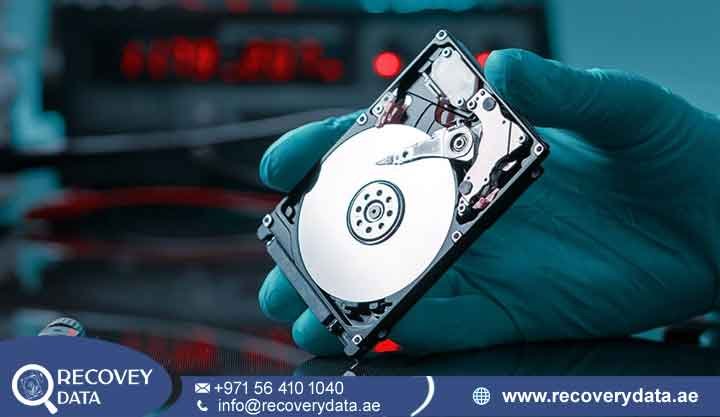
Experiencing sudden data loss can be one of the most stressful situations for a professional, student, or business owner. Whether you live or operate near Al Barsha 2, Dubai, a computer that will not boot, a clicking external hard drive, or missing files can quickly interrupt your work. When every minute matters, you need a fast local response, professional recovery facilities, and experienced engineers who can handle both logical and physical storage failures.
At Recovery Data, we provide same day data recovery near Al Barsha 2 with priority diagnostics, secure media handling, and advanced recovery techniques. We serve clients across Al Barsha 1, Al Barsha 2, Al Barsha 3, Barsha Heights, Al Sufouh, and surrounding Dubai communities. Our laboratory handles a wide range of storage problems, from deleted files and corrupted partitions to mechanical HDD failures, SSD controller problems, and complex RAID issues.
Urgent Data Loss in Al Barsha 2? We Provide Same-Day Emergency Recovery

Al Barsha 2 is home to residential communities, family villas, retail businesses, professional offices, educational activities, and many home-based workplaces. People in the area rely heavily on computers, laptops, external hard drives, SSDs, NAS devices, and business servers to store important information. Personal photographs, work documents, financial records, customer information, project files, databases, and other valuable data may all depend on a single storage device. When that device suddenly stops working, even a short period of downtime can create significant problems.
Data loss can happen without warning and often occurs at the worst possible time. A laptop may suddenly stop booting before an important presentation or project deadline. An external hard drive may start clicking while it contains years of family photographs and videos. An M.2 NVMe SSD may suddenly disappear from the BIOS while a professional is working on an urgent project. A business server may also develop a storage failure that affects several employees and interrupts access to shared files, applications, or databases.
For businesses in and around Al Barsha 2, unexpected storage failure can have a wider impact. Employees may lose access to essential documents, accounting information, customer records, project files, or operational data. If the affected device forms part of a server or RAID system, the situation may become more complex because several drives can work together as one storage environment. In these cases, attempting quick repairs without understanding the original configuration can create additional recovery challenges.
Devices We Handle on a Same-Day Urgent Basis
Mechanical Hard Disk Drives (HDDs): We handle internal and external desktop and laptop HDDs from manufacturers such as Western Digital, Seagate, Toshiba, and other major brands. Common problems include clicking sounds, failure to spin, unstable detection, damaged heads, motor problems, PCB faults, and other mechanical or electronic issues.
Solid State Drives (SSDs): We work with SATA SSDs and M.2 SSDs using SATA or NVMe interfaces. Symptoms can include BIOS detection failure, incorrect capacity, sudden system crashes, read errors, or a drive that no longer appears in Disk Management. Recovery methods depend on the SSD controller, firmware, NAND condition, encryption, and overall drive architecture.
Corporate and Multi-Drive Systems: We also handle NAS devices, RAID arrays, and business servers. These cases require careful assessment because rebuilding or changing the original configuration without understanding the array structure can complicate recovery.
Apple MacBooks and Windows Laptops: Laptop data loss can result from storage failure, liquid exposure, logic board problems, damaged partitions, operating system corruption, or other hardware faults. We assess the storage media and device condition before selecting a recovery method.
Common Emergency Scenarios Requiring Same-Day Data Recovery
Data loss rarely happens at a convenient time. Identifying the symptoms can help you avoid actions that may make the situation more difficult. The most important step is to stop unnecessary activity on the affected device and arrange a professional assessment.
1. Sudden Hard Drive Crashes and Mechanical Failures
Traditional HDDs use magnetic platters and precision read/write heads to store and access information. A hard drive can develop mechanical problems because of physical impact, wear, electrical damage, internal component failure, or other faults. Clicking, repeated spin-up and spin-down cycles, unusual buzzing, grinding sounds, or complete detection failure can indicate a serious hardware problem. However, these symptoms do not identify the exact failure on their own. If an HDD starts producing unusual sounds, power it down and avoid repeated restart attempts. Continued operation can increase stress on an unstable drive and may reduce the amount of readable data. Our engineers can inspect the drive in a controlled environment and determine whether it requires electronic repair, mechanical intervention, donor components, or another recovery method.
2. SSD Controller and Firmware Problems
SSDs do not contain moving mechanical components, but they rely on sophisticated controllers, firmware, NAND flash memory, mapping information, error correction, and power-management components. A failure in one of these areas can prevent the SSD from operating normally. An SSD may suddenly disappear from the BIOS, report an incorrect capacity, become inaccessible, or cause the operating system to freeze. Electrical damage can also affect the controller or power-management circuitry. When the SSD remains visible and the problem is logical, conventional recovery software may sometimes help. A drive with controller, firmware, or NAND-related problems requires a different approach. Specialists may use professional diagnostic platforms and controlled hardware-level techniques to determine whether the storage media can be accessed safely.
3. Accidental Deletion, Formatting, and File System Corruption
Logical data loss occurs when the physical storage remains accessible but important files or file-system structures become damaged or unavailable. Common causes include accidental deletion, formatting, interrupted system operations, malware, partition changes, and unexpected shutdowns. File systems such as NTFS, exFAT, APFS, and EXT4 use different structures to organize stored information. The recovery method therefore depends on the file system, type of damage, amount of overwriting, and condition of the storage device. When the hardware remains stable, specialists may create a controlled image and then work from that image to reconstruct partitions, directories, and individual files. This approach helps reduce unnecessary access to the original media.
Our Fast, Transparent Same-Day Recovery Process in Dubai
When you bring a failing storage device to our Dubai laboratory, we follow a structured and carefully controlled recovery process designed to protect your data while identifying the cause of the failure. Every storage device behaves differently, so we do not apply the same recovery method to every case. A deleted file, corrupted partition, failed HDD head, damaged PCB, SSD controller problem, or RAID failure can each require a different technical approach.
Our same-day recovery process begins with an initial assessment of the device and the circumstances surrounding the data loss. We review the symptoms reported by the client and examine the storage media for signs of logical, electronic, firmware, or mechanical failure. This helps our engineers determine whether the device can be accessed safely and which recovery method is most appropriate.
For urgent cases, we prioritize the diagnostic stage so clients can receive a clear understanding of the situation without unnecessary delays. Where the device condition allows it, our specialists can proceed with the appropriate recovery work after the assessment. Some logical failures may require relatively straightforward imaging and file reconstruction, while physically damaged drives may require controlled laboratory intervention before data extraction can begin.
Step 1: Convenient Drop-Off or Courier Collection
Clients near Al Barsha 2 can arrange a priority drop-off or coordinate secure collection where available. When we receive the device, our team records its condition and documents the symptoms reported by the client. Information about what happened before the failure can be valuable. For example, a sudden power outage, accidental drop, liquid spill, unusual clicking sound, or failed software update can help engineers narrow down the possible causes.
Step 2: Accelerated Priority Diagnosis
For urgent cases, we prioritize the initial assessment according to the condition of the media and the requested turnaround. Engineers perform controlled diagnostic checks to determine whether the issue appears logical, electronic, firmware-related, or mechanical. After the assessment, we explain the recovery options, expected timeline, and applicable charges before proceeding with the main recovery work. This gives the client a clear understanding of the situation before additional engineering work begins.
Step 3: Controlled Laboratory Recovery
Physical failures require controlled handling. HDDs that need internal inspection or head-related work should be opened only in an appropriate cleanroom environment. Depending on the failure, engineers may work on the PCB, firmware, head assembly, spindle mechanism, or other components. For SSDs, the recovery approach depends heavily on the controller and NAND architecture. In some cases, engineers can access the device through specialized hardware. In other cases, controller-level analysis, firmware work, or NAND-level techniques may be considered where the architecture supports them. The goal is to obtain a stable source from which the data can be recovered. Engineers generally avoid unnecessary writes to the original storage device.
Step 4: Logical Reconstruction and Data Verification
Once engineers obtain a stable image or accessible source, they can begin the logical recovery stage. This may involve rebuilding partitions, reconstructing directory structures, locating damaged file records, or using file-carving techniques where appropriate. Recovered files are checked according to their type and importance. Documents, photographs, videos, databases, archives, and other business files may require different verification methods. For severely damaged media, not every file can always be recovered successfully. The final result depends on the condition of the storage media and the extent of corruption or physical damage.
Step 5: Secure Handover
After the recovery process, the recovered files are transferred to a suitable healthy storage device. Clients can review the recovered data and confirm that the required files are present. We follow controlled data-handling procedures throughout the recovery process. Recovery Data also takes measures to limit unnecessary access to client information and protect sensitive personal and business files.
Serving Al Barsha 2 and the Wider Dubai Community
Our services support clients from Al Barsha 2 and surrounding Dubai communities. We assist residents, professionals, students, small businesses, and larger organizations that need urgent assistance after storage failure. We can also support clients from Al Barsha 1, Al Barsha 3, Barsha Heights, Al Sufouh, Dubai Marina, Jumeirah Lake Towers, Downtown Dubai, Dubai Silicon Oasis, and other areas across the city. For organizations operating outside Dubai, we also handle recovery requirements from Abu Dhabi, Sharjah, Ajman, Umm Al Quwain, Ras Al Khaimah, and Fujairah. Collection and delivery arrangements can be discussed based on the device and recovery requirements. Our focus remains on careful diagnosis, secure handling, clear communication, and a recovery process that protects the original storage media as much as possible.
Frequently Asked Questions
Where can I get same-day data recovery near Al Barsha 2?
Recovery Data provides professional data recovery services for residents and businesses near Al Barsha 2, Dubai. You can contact our team to arrange a priority assessment, drop-off, or collection where available.
Can a failed hard drive or SSD be recovered on the same day?
Some cases can receive same-day assessment or recovery, particularly when the problem involves certain logical failures or less complex issues. However, serious mechanical HDD failures, difficult SSD controller problems, and multi-drive RAID cases can require additional engineering time. The exact turnaround depends on the device condition and recovery method.
How much does emergency data recovery in Al Barsha cost?
Data recovery pricing depends on the type of storage device, capacity, failure type, physical condition, complexity, and required equipment. A deleted partition may require a very different process from a mechanically damaged HDD or failed RAID array. We assess the device first and explain the applicable recovery cost before proceeding with the main recovery work.
What should I do if my storage device starts failing?
Stop using the device and avoid repeated restart attempts. Do not format the drive or initialize it if the operating system displays a warning. Avoid running repair commands such as CHKDSK or other utilities when the drive may have physical problems. Keep the device safely stored and arrange a professional assessment. Early intervention can help reduce additional stress on unstable hardware and prevent accidental overwriting during recovery attempts.
Is my data kept confidential during the recovery process?
Recovery Data follows controlled data-handling procedures designed to protect client information. Personal files, business documents, databases, photographs, and other sensitive information are handled only as required for the recovery process. Clients with additional confidentiality requirements can discuss appropriate privacy or NDA arrangements with our team before recovery work begins.
Recover Your Critical Data Today
Unexpected storage failure can interrupt business operations, academic work, and personal projects without warning. The safest response is to stop unnecessary use of the affected device and seek a professional assessment as soon as possible.
If you need same day data recovery near Al Barsha 2, contact Recovery Data for priority assistance and a professional evaluation.
Email: info@recoverydata.ae
Phone: +971 56 410 1040

