
M2 SSD Recovery Dubai
When an M.2 solid-state drive fails, the impact can be immediate. Unlike traditional mechanical hard drives, M.2 SSDs have no spinning platters or moving read/write heads. They may therefore fail without the familiar clicking or grinding sounds associated with some HDD problems. A workstation may suddenly crash, a laptop may stop booting, or a storage […]
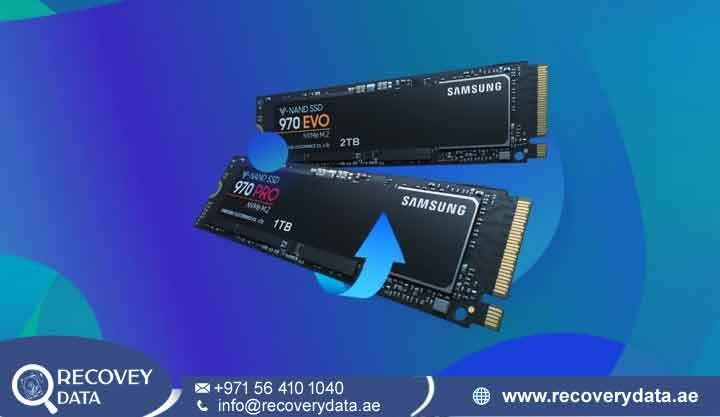
When an M.2 solid-state drive fails, the impact can be immediate. Unlike traditional mechanical hard drives, M.2 SSDs have no spinning platters or moving read/write heads. They may therefore fail without the familiar clicking or grinding sounds associated with some HDD problems. A workstation may suddenly crash, a laptop may stop booting, or a storage volume may disappear from the operating system.
If your M.2 drive has disappeared from BIOS, reports an incorrect capacity, shows as RAW, or stops responding, the cause may involve the controller, firmware, NAND flash, power circuitry, or another hardware component. At Recovery Data, we provide professional M2 SSD recovery in Dubai for NVMe and M.2 SATA storage devices. Our engineers use specialized diagnostic equipment and controlled recovery techniques to investigate SSD failures and extract accessible data. M.2 SSD recovery requires a different approach from conventional hard drive recovery. The controller manages NAND flash translation, wear-leveling, error correction, and other internal functions. If the controller or firmware fails, the raw NAND chips may not present usable files to the operating system.
Understanding M.2 SSD Failures & Why Standard Recovery Can Fail
M.2 describes the physical form factor rather than a single storage technology. An M.2 device may use SATA or PCIe/NVMe communication, depending on its design. NVMe M.2 SSDs can use PCIe Gen 3, Gen 4, or newer interfaces. Inside the SSD, several components work together to make stored information accessible. NAND flash memory stores the data. The controller manages communication between the computer and NAND. Firmware controls many of the controller’s functions. The SSD may also include DRAM or other memory resources, power-management components, encryption features, and manufacturer-specific data structures. This architecture creates a major difference between SSD and HDD recovery. A hard drive generally stores data in a relatively direct physical layout, while an SSD continuously manages data placement through its controller and firmware.
M.2 SSD Architecture

NAND Flash Chips: These memory chips store the actual data. NAND cells can experience wear over time, and the controller manages how the available memory is used.
Controller IC: The controller coordinates communication with the host system and manages functions such as wear-leveling, error correction, bad-block management, and logical-to-physical mapping.
Firmware Layer: SSD firmware controls important internal operations. Firmware corruption or controller problems can prevent the drive from initializing correctly.
Translation and Mapping Information: SSD controllers maintain mapping information that connects logical addresses used by the operating system with physical NAND locations. Without this information, raw NAND contents may not directly resemble a normal file system.
Encryption Functions: Some SSDs support hardware encryption or self-encrypting drive features. Data recovery from an encrypted device depends on the drive architecture and the availability of the required authentication or encryption information.
Common Symptoms Requiring M.2 SSD Recovery in Dubai
Several symptoms can indicate that an M.2 SSD requires professional assessment. These symptoms do not identify the exact fault by themselves, but they can help indicate that the storage device has developed a hardware or firmware problem.
Drive Not Detected: The motherboard BIOS or UEFI may fail to identify the M.2 SSD. Windows Disk Management may also show no usable device. This can result from controller failure, firmware problems, power issues, or other hardware faults.
Boot Loops and Blue Screens: A computer may repeatedly restart or display an inaccessible boot-device error. If the operating system resides on the affected SSD, controller or firmware instability can prevent normal booting.
RAW or Unallocated Partition: The SSD may appear in the operating system but show a RAW or unallocated volume. This can indicate file-system damage, partition problems, controller instability, or other logical issues.
Incorrect Capacity: A drive may report a significantly incorrect capacity or fail to provide normal storage information. This can indicate a controller or firmware problem and requires further testing.
Excessive Heat: An M.2 SSD may become unusually hot because of a failed component, power-related fault, controller problem, or inadequate cooling. Excessive heat does not automatically mean the NAND has failed, so engineers must identify the actual source.
Physical Component Damage: Liquid exposure, electrical events, damaged connectors, or physical impact can affect the SSD’s PCB and components. A damaged board may require component-level diagnosis before engineers can determine whether the NAND remains accessible.
Why DIY Software and Normal Recovery Tools May Not Work
Consumer recovery software depends on the operating system being able to communicate with the storage device. If the SSD appears normally and only the file system has become damaged, software recovery may sometimes help. The situation changes when the controller fails or the firmware prevents the SSD from initializing. In that situation, Windows or macOS may not receive usable storage information from the drive. Standard recovery software cannot repair a controller that the operating system cannot communicate with. SSD architecture also makes raw NAND recovery more complex. The controller manages logical-to-physical mapping, error correction, bad-block handling, and other processes. Raw NAND chips may therefore contain data in a format that requires controller-specific interpretation. For this reason, users should avoid repeatedly scanning an unstable SSD or applying formatting and initialization commands. If the drive contains important data, professional diagnosis should come before further write operations.
Specialized M.2 SSD Recovery Services in Dubai & UAE
Every M.2 failure requires individual assessment. Two SSDs with the same capacity can require completely different recovery methods because their controllers, NAND packages, firmware versions, and internal architectures may differ.
M.2 NVMe Data Recovery
NVMe SSDs communicate through PCIe and can deliver very high performance. Their compact circuit boards contain the controller, NAND packages, power-management components, and other electronics in a small space. A failed NVMe drive may have a power-circuit problem, controller fault, firmware issue, damaged NAND, or a combination of these conditions. Our engineers inspect the drive before selecting a recovery procedure. If the fault involves a damaged power component, suitable component-level repair may restore enough functionality for controlled imaging. The repair objective is not simply to make the SSD usable again. The primary goal is to restore sufficient communication to extract the stored data safely.
Controller & Firmware Failure Recovery
The controller acts as the central processing component of an SSD. It manages communication with the host and coordinates access to NAND flash. If controller firmware becomes corrupted or the controller develops a hardware fault, the SSD may remain busy, disappear from the system, or fail to initialize. Specialized SSD recovery platforms can provide additional diagnostic capabilities beyond standard operating-system tools. Depending on the SSD architecture, engineers may analyze firmware behavior, controller communication, NAND configuration, and other internal information. The exact recovery method depends on the manufacturer and controller. There is no single firmware procedure that works across every M.2 SSD.
M.2 SSD Not Detected & Dead Drive Recovery
An M.2 SSD that does not appear in BIOS requires careful diagnosis. A shorted power component, failed controller, damaged PCB trace, firmware problem, or other electronic fault can prevent normal detection.. Engineers can inspect the PCB and test relevant power circuits before applying further power or attempting communication. If a repair restores controller access, the next step is controlled imaging. If the controller cannot provide usable access, engineers may need to investigate alternative NAND-level recovery options where the specific SSD architecture supports them.
Encrypted M.2 Drive Recovery
Many modern computers use encryption features such as Windows BitLocker. Some SSDs also support self-encrypting drive functions. Encrypted SSD recovery requires additional care because recovering raw NAND information does not automatically produce readable files. The recovery team may need the appropriate encryption keys, authentication information, recovery key, or other required credentials. Where the required information is available and the SSD architecture supports recovery, engineers can work toward restoring access to the encrypted volume while maintaining data confidentiality. Users should keep their BitLocker recovery keys and other encryption credentials in a secure location. Without the required keys or authentication information, technical recovery may not result in readable decrypted files.
Our Step-by-Step M.2 SSD Data Recovery Process
At Recovery Data, the recovery process begins with diagnosis. Engineers first determine whether the problem involves the file system, firmware, controller, power circuitry, NAND, or another component.
1. Initial Evaluation & Diagnosis
When the SSD arrives at our Dubai facility, engineers perform a controlled diagnostic assessment. They identify the drive model, interface, controller type, NAND configuration, and visible physical condition. The team then checks whether the drive appears in BIOS or through specialist diagnostic equipment. Engineers also assess power behavior and communication with the controller. This information helps determine the next recovery stage.
2. Component-Level Repair & Physical Intervention
If the SSD has an electronic fault, engineers can inspect its power-management components, controller area, connectors, and other PCB sections. Where suitable, component-level repair may restore stable power or communication. The repair process depends on the specific component and SSD design. For severe controller failures, NAND-level recovery may be considered. However, chip-off recovery is not a universal solution for M.2 SSDs. Modern SSDs can use proprietary controllers, encryption, scrambling, ECC, wear-leveling, and complex mapping systems. Engineers therefore assess the SSD architecture before deciding whether NAND extraction is technically viable.
3. Controlled Imaging & Translation Analysis
Once the SSD provides stable access, the recovery team focuses on preserving the available data. Engineers can create an image of accessible storage onto a separate healthy destination. Specialized equipment can help manage unstable communication and read errors during this process. SSD recovery can also require analysis of the controller’s logical-to-physical mapping. This mapping determines how the operating system’s logical addresses correspond to NAND locations. Where the controller and firmware remain sufficiently functional, engineers can use the available mapping information to reconstruct the logical storage structure.
4. Logical Reconstruction & Data Verification
After obtaining a stable image or usable NAND data, engineers analyze the file system. Supported file systems can include NTFS, exFAT, APFS, and EXT-based systems, depending on the original device. The team checks directories, file records, metadata, and accessible file content. Important documents, photographs, videos, databases, and project files can then be reviewed for integrity. Recovery results vary according to the condition of the SSD. If portions of the NAND have failed or mapping information is missing, some files may remain incomplete or unavailable.
5. Secure Transfer & Delivery
After the recovery process, accessible files are transferred to a separate healthy storage device supplied or arranged for the recovery case. Recovery Data follows controlled handling procedures during the recovery process. Access to recovered information remains restricted to authorized personnel involved in the case. After the customer confirms receipt of the recovered files, temporary working copies can be handled according to the applicable data-retention and confidentiality procedures.
Supporting Clients Across Dubai and the UAE
Recovery Data operates a professional data recovery laboratory in Dubai and supports customers across the UAE. Our services are available for individuals, professionals, businesses, educational organizations, and other customers dealing with M.2 SSD failures. Clients can arrange suitable device drop-off or collection options from Dubai, Abu Dhabi, Sharjah, Ajman, Umm Al Quwain, Ras Al Khaimah, and Fujairah. M.2 SSDs often contain operating systems, business documents, design projects, databases, photographs, academic files, and other important information. When an SSD suddenly disappears, quick and appropriate handling can help protect the remaining data.
Frequently Asked Questions (FAQs)
Can data be recovered from a dead or completely unresponsive M.2 SSD?
Data recovery may be possible from a dead or unresponsive M.2 SSD. The result depends on the condition of the NAND flash, controller, firmware, power circuitry, and internal mapping information. A failed controller does not automatically mean that every NAND chip has failed. However, the NAND data may require specialized interpretation before it can become usable files.
What is the cost of M.2 NVMe SSD recovery in Dubai?
The M.2 NVMe SSD recovery cost in Dubai depends on the SSD model, capacity, controller, NAND configuration, failure type, encryption status, and required recovery procedure. A simple logical failure may require a different process from a controller failure or NAND-level case. Recovery Data performs a technical assessment before providing a recovery quotation.
How long does the M.2 SSD data recovery process take?
Recovery time varies significantly between cases. A straightforward logical recovery can take less time than a controller or NAND-level recovery. Drive capacity, hardware condition, firmware complexity, read stability, and the amount of data requiring reconstruction can all affect the timeframe. Recovery Data can provide a more accurate estimate after the initial assessment.
Can I use data recovery software if my M.2 drive is not detected?
If the SSD is not detected by the computer at all, standard recovery software generally cannot communicate with it. Avoid repeatedly connecting and scanning a failing SSD. Do not initialize, format, or partition the drive if important data remains on it. Professional diagnosis can determine whether the issue involves the controller, firmware, PCB, or another component.
Can a physically damaged M.2 SSD be recovered?
Recovery may be possible if the NAND packages and relevant electronic components remain sufficiently intact. The recovery approach depends on the type of physical damage. A damaged connector or power component may require a different procedure from a damaged controller or NAND package.
Can BitLocker-encrypted M.2 SSD data be recovered?
Encrypted SSD recovery may be possible when the drive’s data remains accessible and the required encryption credentials are available. For BitLocker volumes, the recovery key or other valid authentication information may be essential. Without the required key, recovering raw storage information does not necessarily provide readable files.
Is my data kept confidential during the recovery process?
Recovery Data follows controlled data-handling procedures for personal and business recovery cases. Recovered files are handled only as required for diagnosis, extraction, verification, and delivery. Customers with sensitive corporate information can also discuss appropriate confidentiality requirements before recovery work begins.
Recover Your Critical Data Today
An M.2 SSD failure can make important files appear inaccessible within seconds. The drive may disappear from BIOS, report an incorrect capacity, show a RAW volume, or stop responding completely. These symptoms do not automatically mean that the data has been permanently lost. Recovery prospects depend on the SSD’s controller, firmware, NAND flash, mapping information, encryption, and overall hardware condition. Avoid formatting, initializing, or repeatedly powering an unstable M.2 SSD. If the stored information is important, professional diagnosis can help identify the actual failure before further recovery attempts.
Contact Recovery Data for professional M2 SSD recovery in Dubai.
Email: info@recoverydata.ae
Phone: +971 56 410 1040
Location: Dubai, UAE

